The Ultimate Guide to Crafting a Work Satisfaction Survey That Drives Real Change
In today's competitive landscape, employee satisfaction isn't just a buzzword – it's a business imperative. According to Gallup's latest research, businesses with high employee engagement see a 23% difference in profitability.
A well-designed work satisfaction survey (or career satisfaction survey) is your secret weapon. It offers invaluable insights into your team's morale and allows you to catch "quiet quitting" before it leads to a resignation. Using a no-code form builder like Formsuite allows you to bridge the gap between employee feedback and actionable business growth.
What is a work satisfaction survey?

A work satisfaction survey is a tool used by organizations to measure employees' happiness and contentment with their roles. It goes beyond "are you happy?" to gather data on company culture, management effectiveness, and work-life balance.
Why is it important?
- Boosts retention: Identify pain points before employees look elsewhere.
- Increases productivity: Engaged employees perform better and miss fewer days of work.
- Improves culture: It reinforces a "listening culture" where voices matter.
- Informs decisions: Provides data-driven insights for HR strategies rather than relying on "gut feelings."
Planning your survey strategy
Strategic planning is the foundation of a successful survey. Before you write a single question, define your goals.
Define your objectives
What do you hope to achieve? Common goals include:
- Identifying reasons for high turnover in specific departments.
- Assessing the impact of a new hybrid work policy.
- Measuring the effectiveness of internal communication.
Determine your survey frequency
How often should you check in?
- Annual engagement survey: A comprehensive deep dive into long-term strategy.
- Pulse surveys: Short, frequent "temperature checks." Formsuite's AI Form Assistant can generate these in seconds based on current company events.
- eNPS (Employee Net Promoter Score): A one-question metric to gauge brand loyalty.
Choose your survey platform
The right tool makes all the difference. You need a platform that is easy to use, secure, and analytical. Formsuite excels here by offering Conversational Forms that feel like a dialogue, which can increase completion rates by up to 30%.
Crafting effective survey questions
Aim for clarity and a mix of question types to get the best data.
Key categories to cover
- Job satisfaction: "Do you clearly understand your responsibilities?"
- Management: "My manager provides regular and constructive feedback."
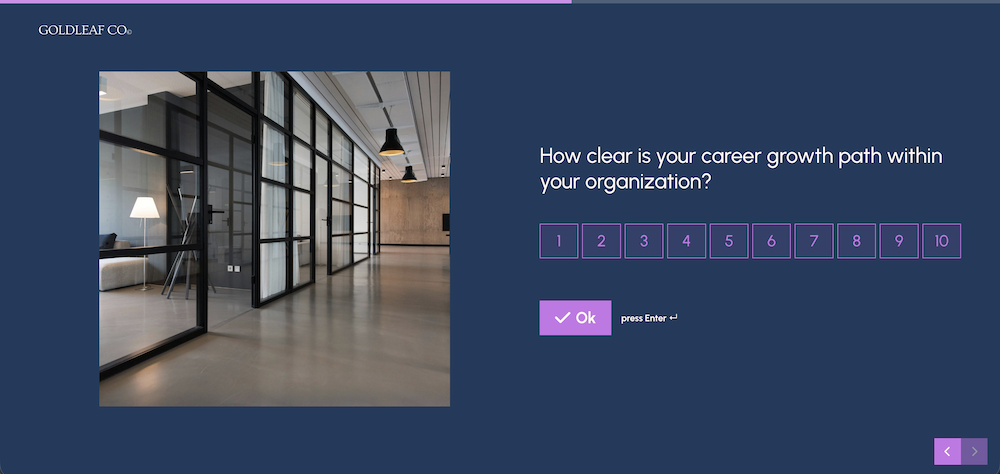
- Growth: "I see a clear career path for myself at this company."
- Work-life balance: "I can maintain a healthy balance between work and personal life."
The "CEO question"
Always include an open-ended question. This is where the most valuable "raw" data lives:
"If you were CEO for a day, what is the one thing you would change and why?"
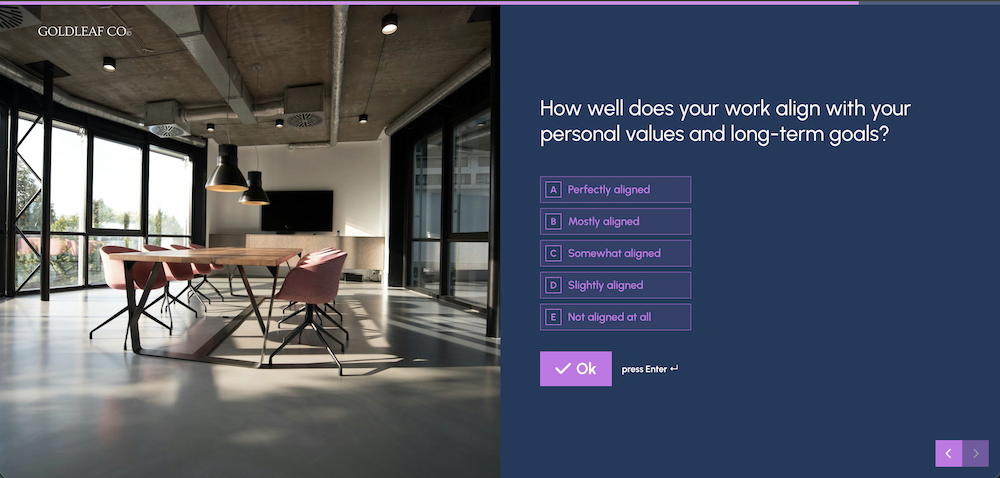
Formsuite tip: Use Formsuite's Logic and Branching to ask follow-up questions. For example, if an employee rates "Management" as a 1/5, you can automatically trigger a text box asking for specific feedback.
Ensuring anonymity and confidentiality
Honest feedback requires trust. According to industry standards, if employees fear retribution, they will "grade" the company higher than they actually feel.
- Anonymous: Responses are untraceable.
- Confidential: Data is linked to departments by a third party, but individual identities remain hidden.
- The "Rule of 5": Never show data for groups smaller than five people to prevent "de-anonymizing" individuals.
Analyzing your results with Formsuite
Collecting data is only half the battle. You need to turn those numbers into a narrative.
Your first filter: where to start?
Start by filtering your data by Department. This usually reveals localized issues that a specific manager can address. Formsuite's Analytics engine lets you visualize these slices of data instantly.
Other useful filters include:
- Tenure: Do new hires feel differently than veterans?
- Location: Are remote workers less engaged than in-office staff?
Look for trends, not just numbers
Ask yourself: "What has changed since our last survey?" Use Formsuite's AI features to perform sentiment analysis on open-ended comments, saving you hours of manual reading.
Taking action: the "Listen & Act" workflow
A survey without action erodes trust. Follow this 3-step workflow:
- The immediate thank you: Acknowledge the results within 48 hours of the survey closing.
- Identify quick wins: Fix one small thing immediately (e.g., a broken coffee machine or a software subscription) to prove you are listening.
- Develop a 90-day action plan: For bigger issues like "Career Growth," assign a deadline and an owner.
Transform feedback into flourishing workplaces
A work satisfaction survey is the bridge between a stagnant company and a thriving one. By using a tool like Formsuite, you remove the technical hurdles and focus on what matters: your people.
Ready to build a workplace people never want to leave? Check out our help guides to learn more about customizing your survey.
Try Formsuite free
Create your first work satisfaction survey in minutes. No response caps, no commitment.
About the author
Formsuite
We're Formsuite, a team dedicated to making form building simple, beautiful, and most importantly, effective. We believe that every interaction with a customer or employee is an opportunity for a better conversation.
Related Articles

Beyond Manual Entry: How a PDF Form Filler and Intelligent Data Capture Revolutionize Workflows

The Best Lead Capture Software in 2026
