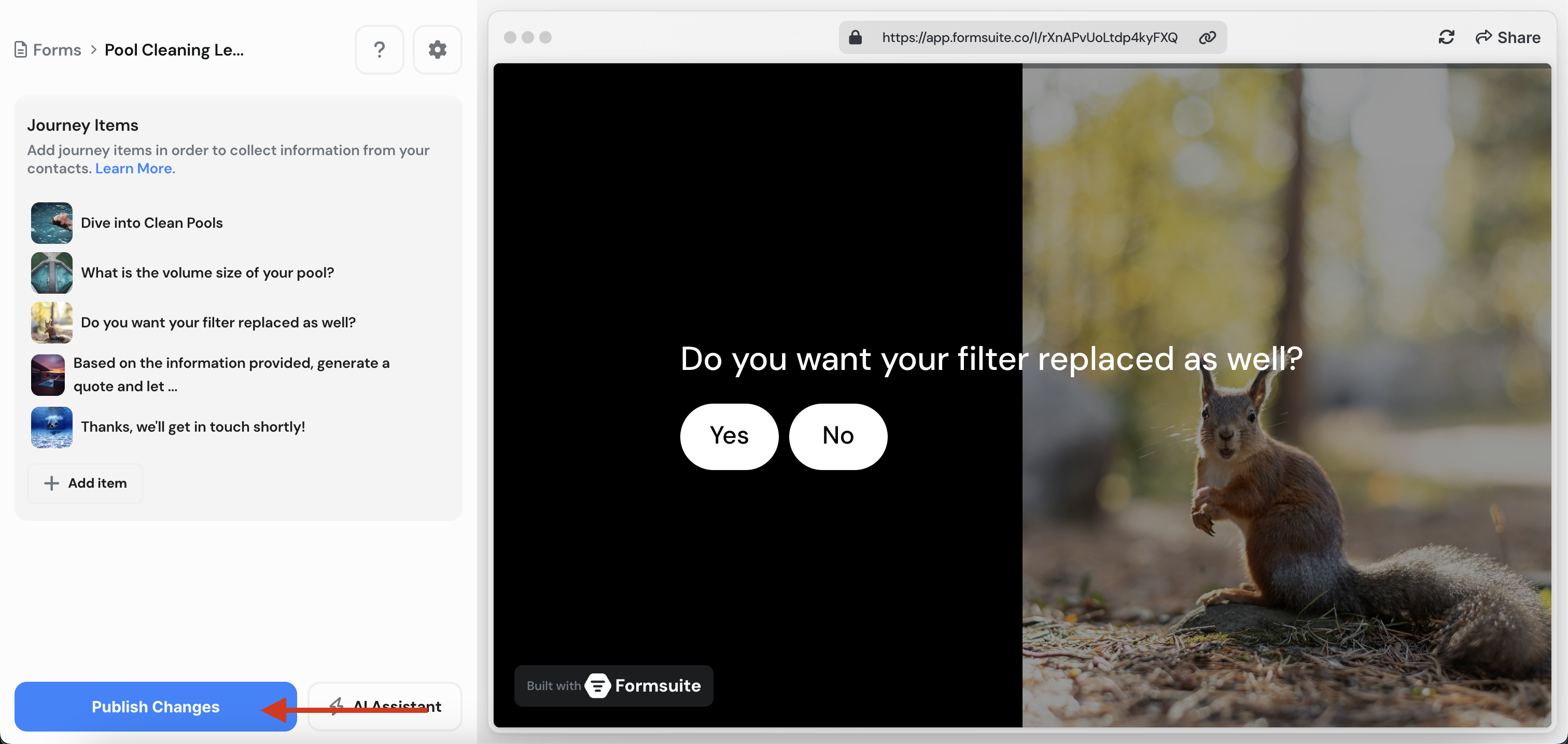
Drafts & Publish
Whenever you make a change to your form, those changes will automatically be saved as a draft. Drafts are not visible to the public, you can only see your drafted changes within the editor.
Once you're happy with your changes, you can click “Publish Changes” in the bottom left corner.
After your changes have been published, those updates will now be visible to the public. This allows you to easily maintain updates in the editor without worrying about your users seeing them until you're ready.

Find the perfect template
Explore real templates crafted in Formsuite and discover how good your forms, surveys, and quizzes can look.

Lead Capture Form
Engage visitors and turn them into qualified leads with a simple, high-converting form.
Lead-generationSalesMake-sales

Testimonial Form
Collect impactful, authentic testimonials from your customers to showcase real results and build trust.
Get-feedbackCustomer-successProduct

Event Signup Form
Increase attendance and easily collect the key details you need from every guest.
Plan-eventsEngage-audienceLead-generation
Form Publishing
Share Your Forms with the World
Learn how to manage drafts, publish changes, and share your forms.