Sharing Your Forms
Sharing your form is a key part of your form's journey. What's the point of making a form if no one is going to see it?
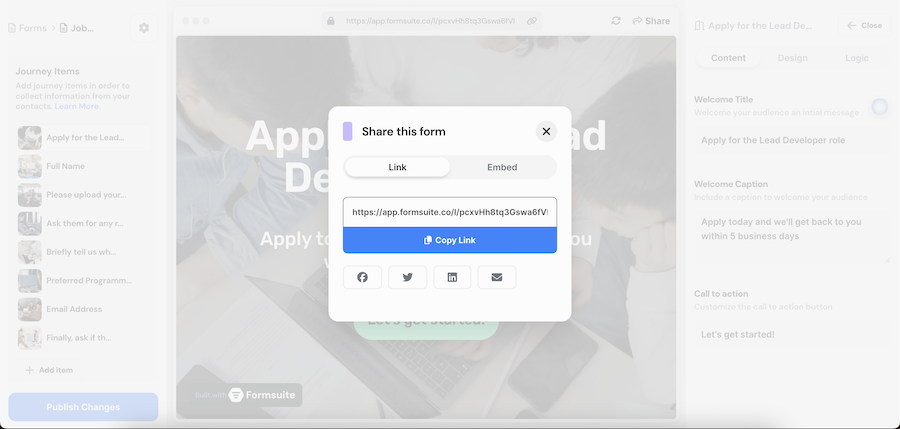
The easiest way to share your form is by clicking on "Share" from the editor. Simply open up the editor, and then in the top right corner of the browser preview, you'll see a button labelled "Share". This will open a modal with some different share options.

The first option is sharable a link. This link is the URL used for loading your public form in the browser. You can share this link in any way you like. There are also some quick link-sharing options available for platforms like Facebook, Twitter, LinkedIn, and Email.
You can also embed your forms in various ways on a webpage:
- Inline Embed your form within an iframe, which is useful for adding your form to an existing webpage. You can adjust size settings before copying the code.
- Full Page This code snippet allows you to load your form as a full webpage.
- Pop-Up Copy and paste this script into your website to add a small icon button in the bottom right corner of the window. Clicking on it will open a floating window with the form loaded inside.
- Banner Similar to the pop-up, this embeds a small banner in the bottom right corner. Instead of a small icon button, it will display a rectangle featuring the first journey item's image and title.



