Hiding "Built with Formsuite" Badge
If you're on a paid plan you'll able to hide the "Built with Formsuite" badge. Unfortunately, if you're on the free plan this setting will be disabled.
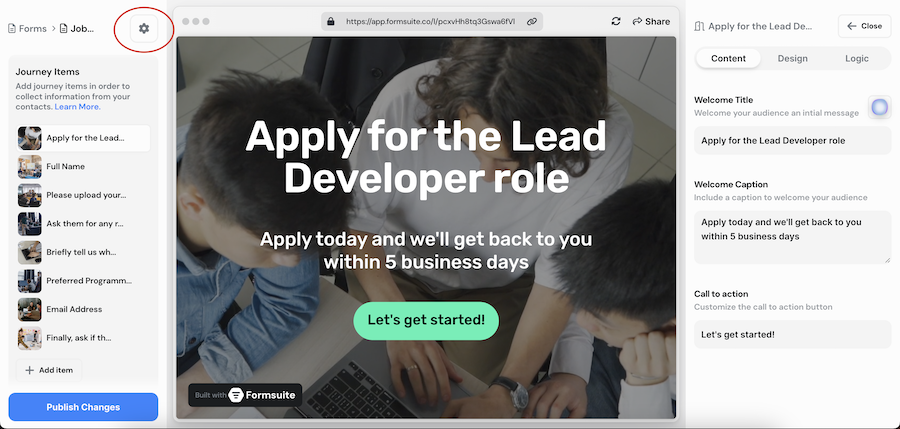
The first step is to open the form settings by clicking on the gear icon in the left editor sidebar. This will open a modal with all the form settings available.
With that open, you can see the "Branding" sections. From there you can easily toggle that setting on and off. With it off, it'll remove the "Built with Formsuite" badge from showing.
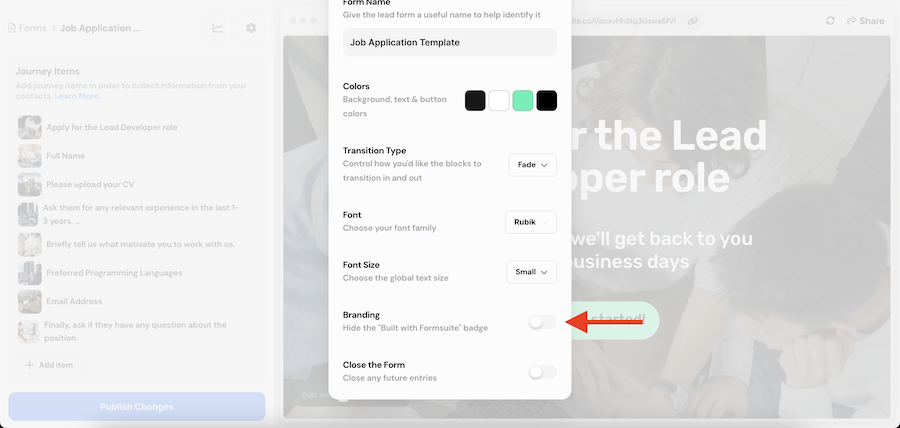
After you make these updates, you can close the modal and see your changes in the form preview.
Make sure to publish your changes when you're done!


