Import Typeform to Formsuite
Already built a form in Typeform? Don't waste time rebuilding it from scratch. With our Typeform Importer, you can turn your existing Typeform into a Formsuite form in just a few clicks.
Note: Currently, you can import one form at a time. We're working on a bulk import feature — stay tuned.
How to Import a Typeform into Formsuite
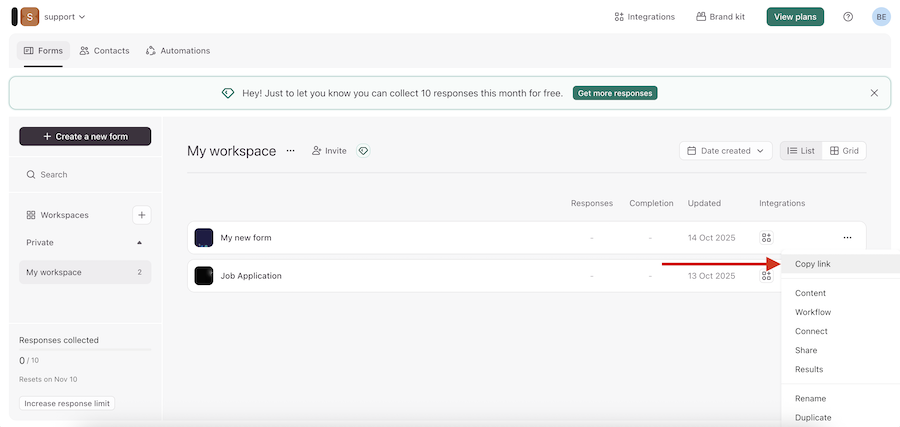
Open your Typeform dashboard and find the form you'd like to bring into Formsuite. Click the three-dot menu next to the form and choose "Copy Link".
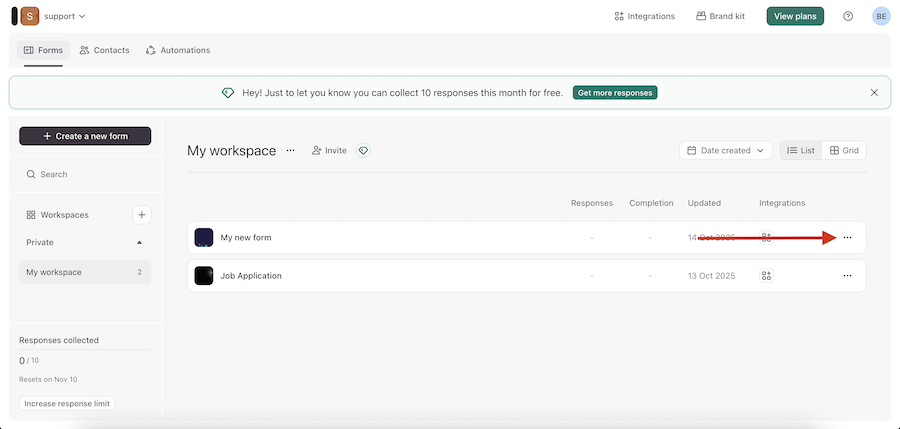
Copy the public URL of the form. It should look like this: https://yourform.typeform.com/to/abc123
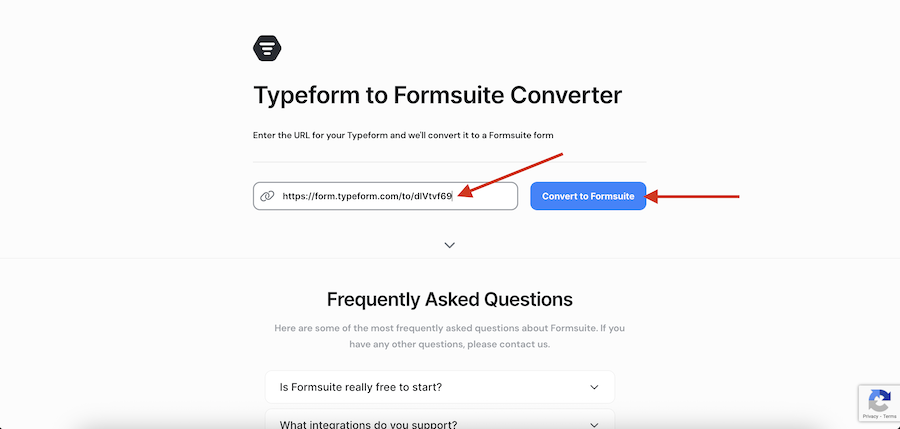
Head over to the Typeform Import Tool inside Formsuite.
Paste your URL and hit Convert.
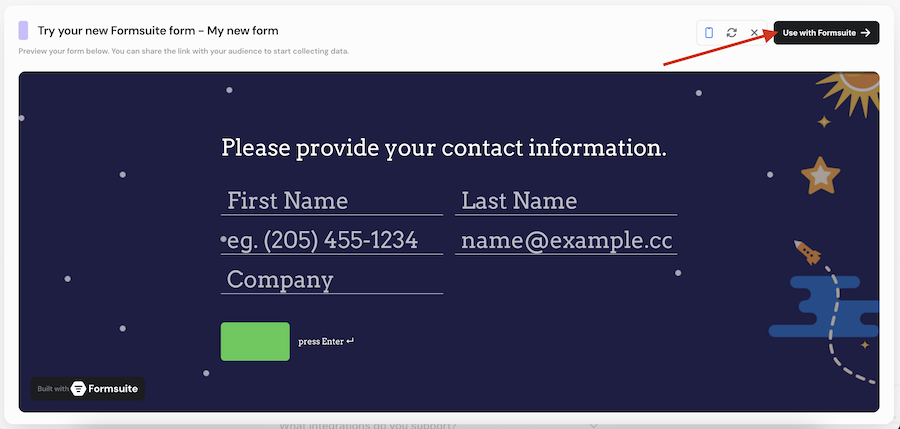
Once you're finished testing out your new form. Click on "Use with Formsuite" and add it directly to your workspace. If you've not signed up yet, you'll be asked to sign up before your new form is added to your workspace.
Using Typeform Templates?
You can also import public Typeform templates. Just copy the URL of the template page from the Typeform gallery and drop it into the import tool; Formsuite will handle the rest. For example, the template URL should look like https://www.typeform.com/templates/product-recommendation-quiz-template.
Having Trouble?
Here are a few common things to check:
- Invalid URL: Make sure you're pasting the correct share link, not a preview or editor link.
- Unpublished Forms: Forms need to be published on Typeform before they can be imported.
- Unsupported Languages: At the moment, the importer works best with English forms. If your form is in another language, let us know and we'll see how we can help.
- Missing Blocks: Some blocks, like payment fields, aren't supported yet and will be skipped during import. You can add these manually in the builder once your form is imported.


